YouTube videos of correcting lens
distortion with Photoshop:
1,
2
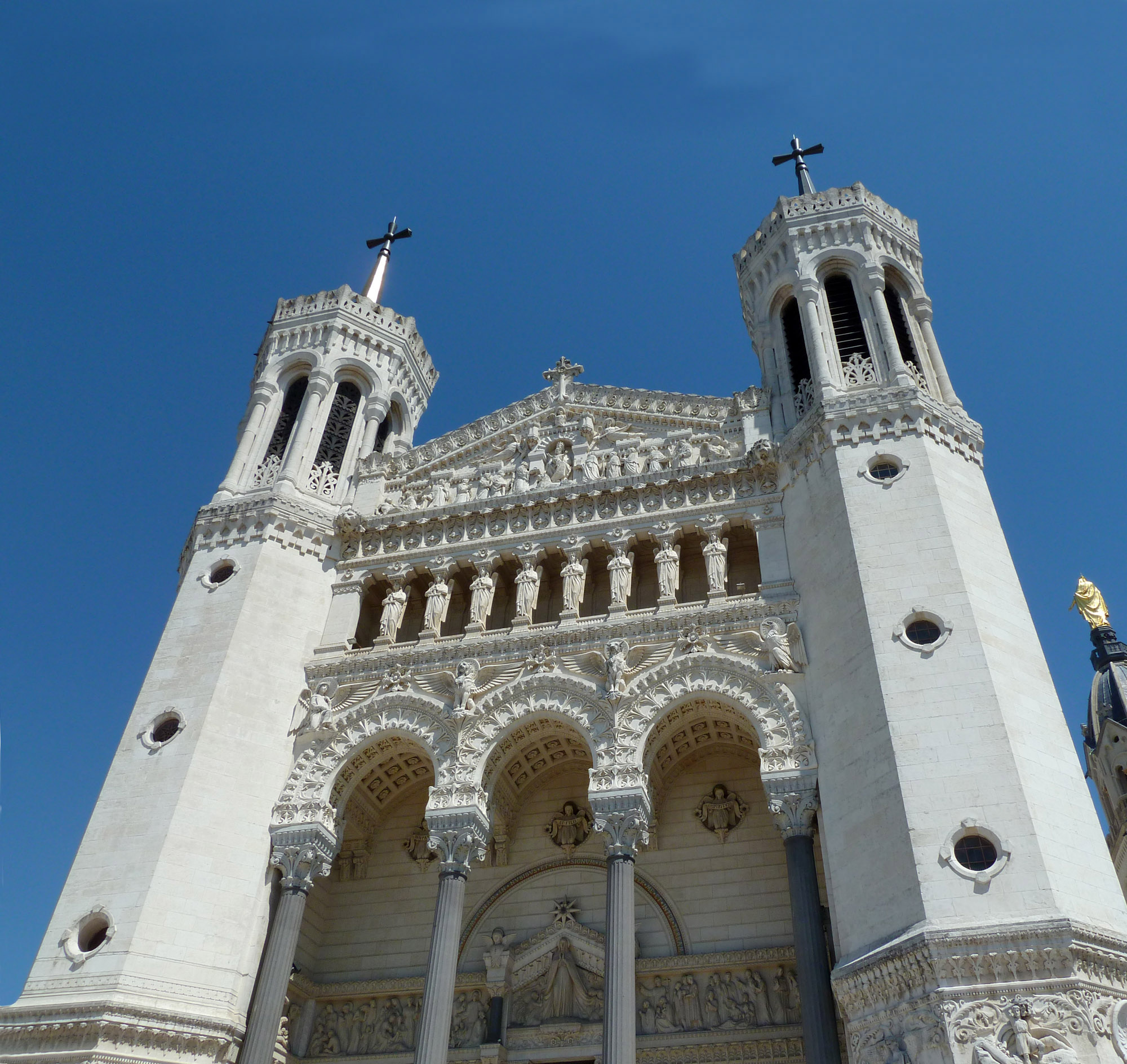
Original image of Basilica Notre Dame de
Fourviere in Lyon, France Taken with an effective (35 mm) focal length of 25 mm showing inward
tilting of the towers from distortion of wide angle lens
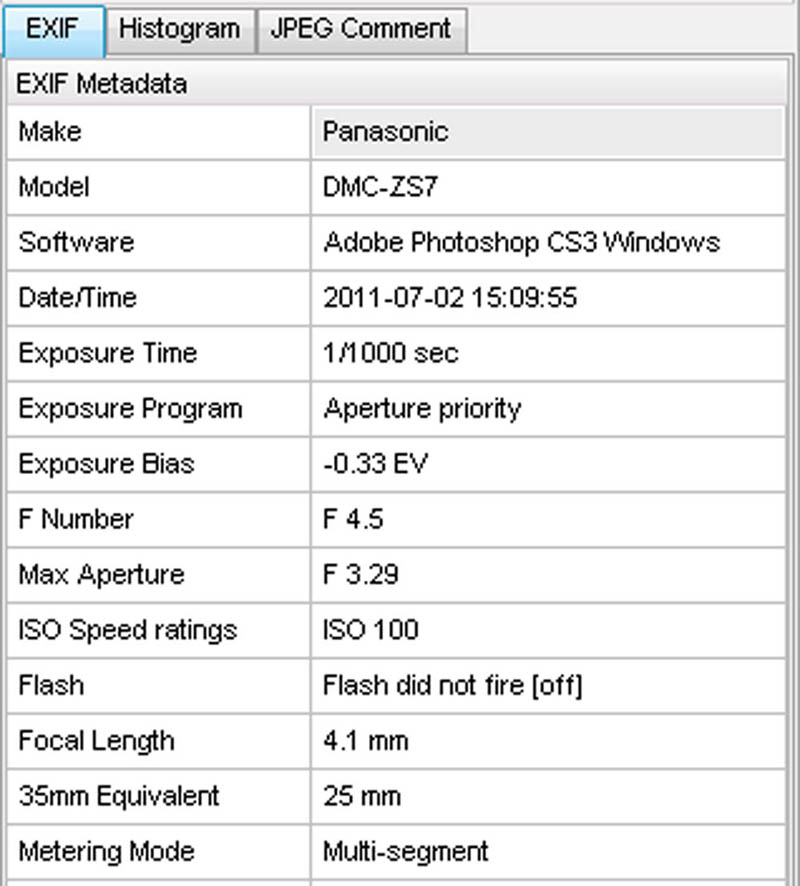
EXIF data
F.L. of 4.1 mm equals 25 mm (35 mm
equivalent)
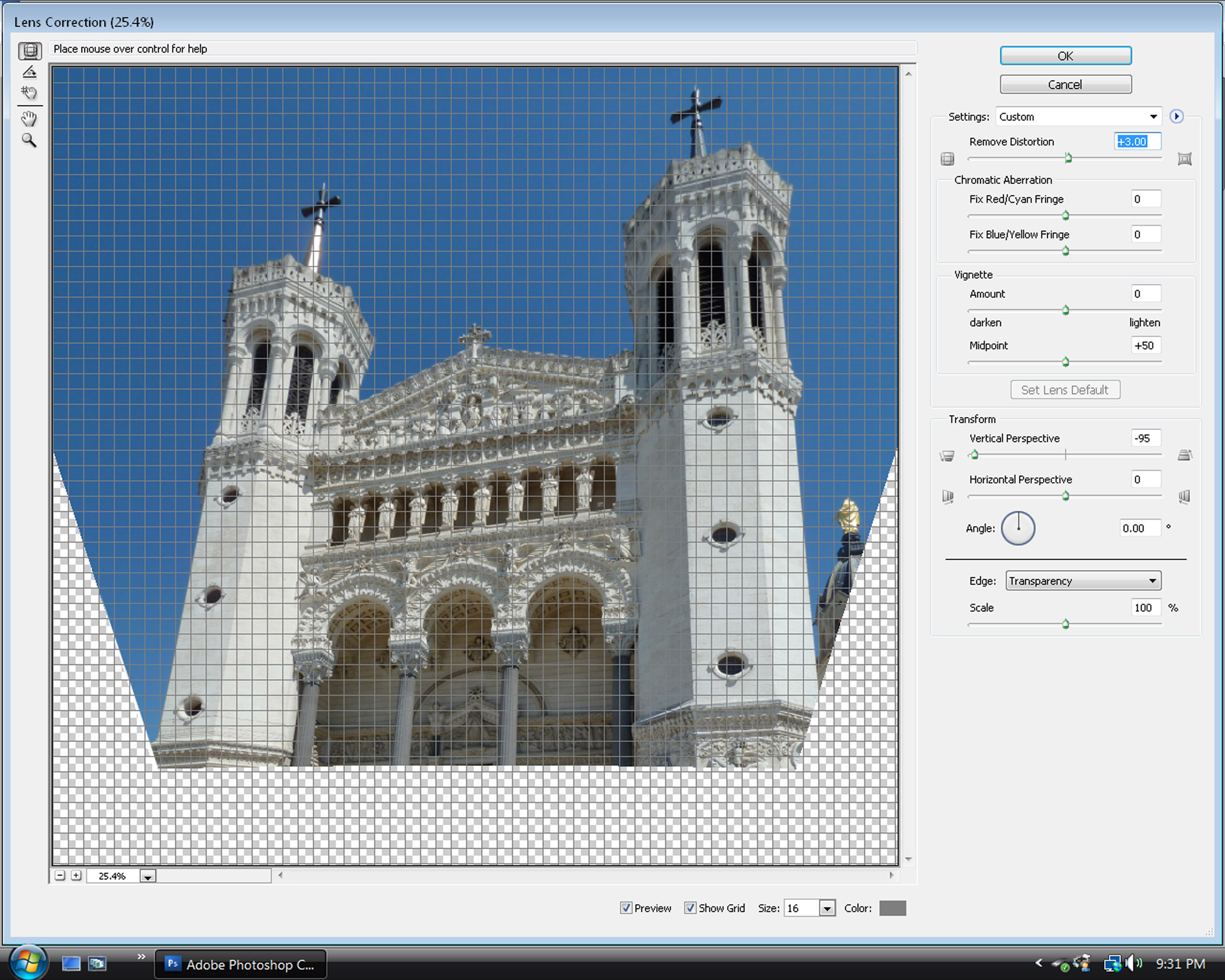
Print-screen image of Photoshop's Lens
Correction Filter
Using Adobe Photoshop CS3. On the menu at the top choose: Filter --
Distort -- Lens Correction. I then set the Transform Vertical
Perspective near the bottom to -95 with the slider to help correct
the twin towers from leaning in and give them a parallel appearance.
I also did a mild correction of +3.00 at the top Remove Distortion
to produce a slight pin-cushion effect (remove the slight bulging out of
the towers).
The settings were determined visually on what looked best.
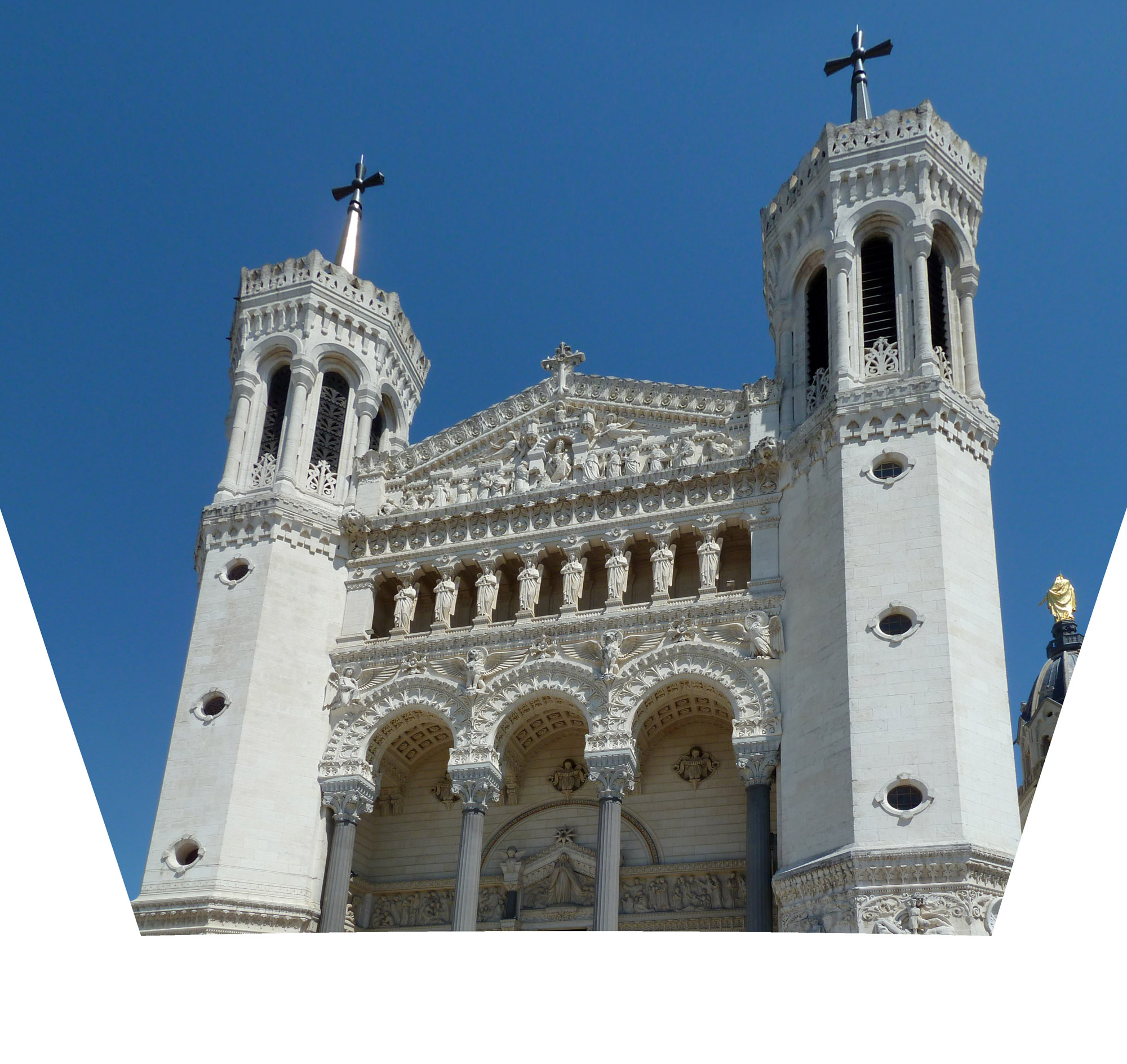
. Note that when the image is tilted to remove the
distortion there is some loss of the peripheral image.
(you may mouse click twice over the image for an
enlargement)